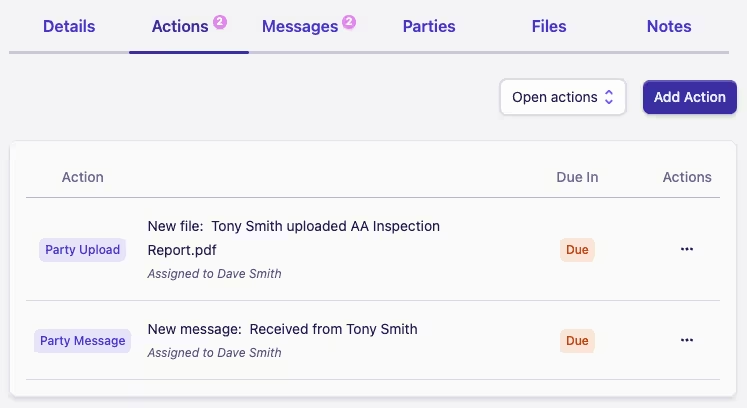
Uploading a file
A party that has been invited to the case portal can securely upload a file to you by:
-
Signing in to the case portal
-
Clicking the Upload File button on the Files card
-
Then selecting the file they wish to upload from their device
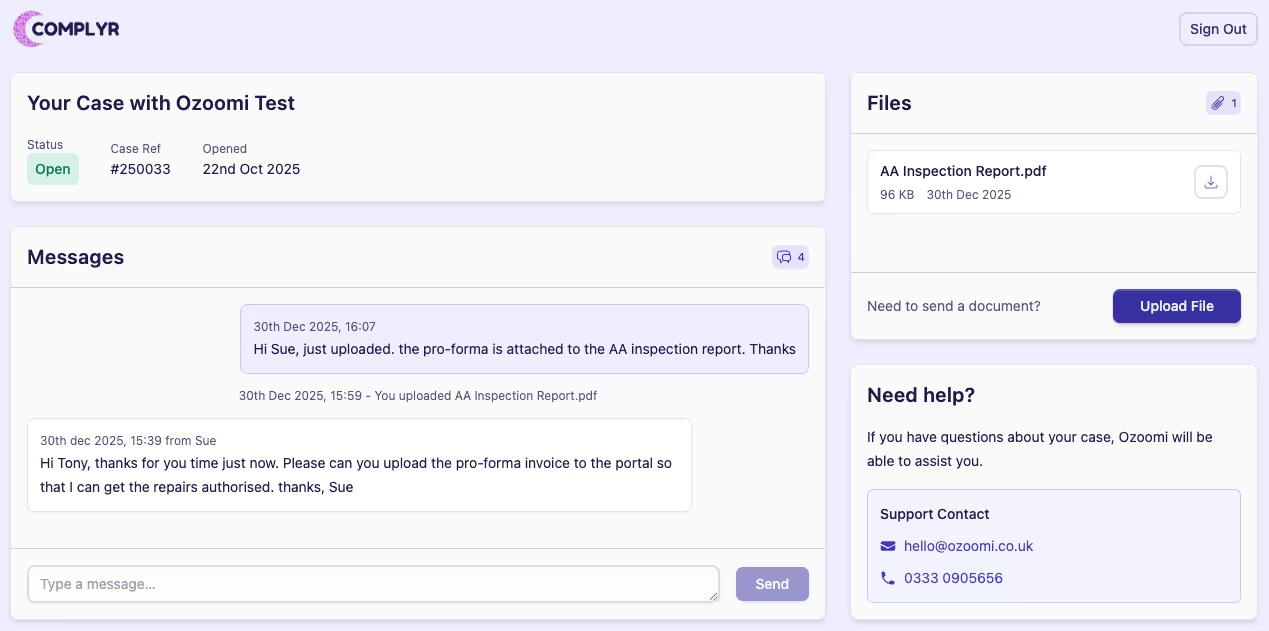
After a party uploads a file to you through the case portal, two things happen.
-
Firstly, the file will appear in the Files tab of the related case.
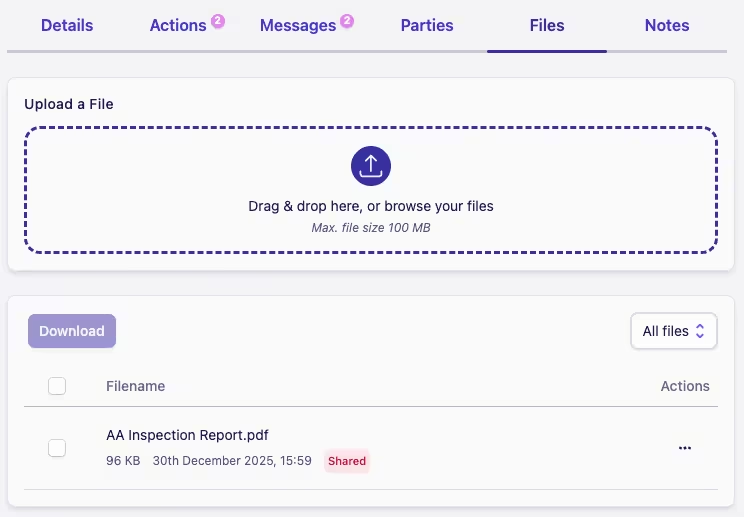
If one or more parties have access to a file in this list, it will have a Shared label next to it. Who it is shared with can be found by editing the file through the Actions menu ···
-
Secondly, a due action of type Party Upload will be added to the case to alert the assigned case owner to the incoming file. As with all case actions, this will be visible in both the case and the case owner's My Actions list.