
Portal sign in
When parties are invited to the case portal, they may be sent their Share Code via email. Whether this email is sent automatically is controlled by your firm's settings for each case type, see control case portal access for more details.
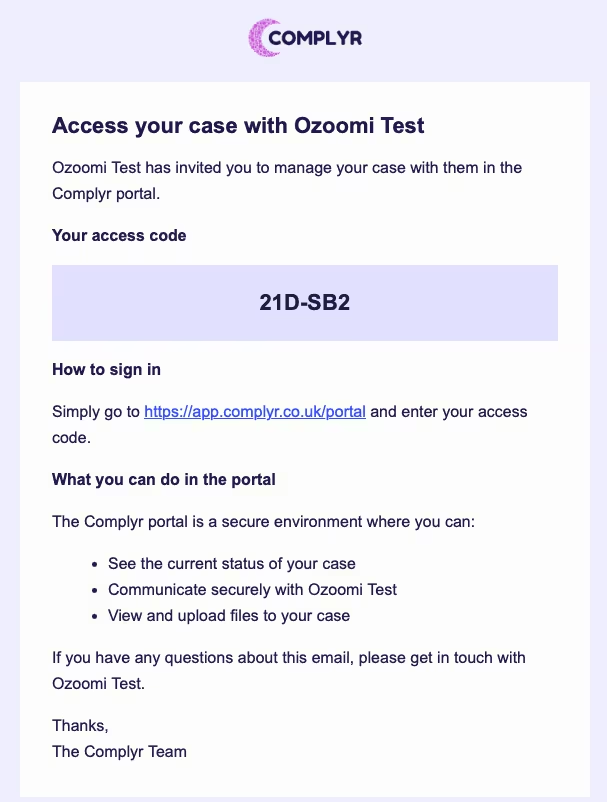
When invited parties receive a Share Code invitation that is sent to them from the Complyr app:
-
The email containing the unique share code will be customised with your firm's name - This example shows Ozoomi Test as the firm name
-
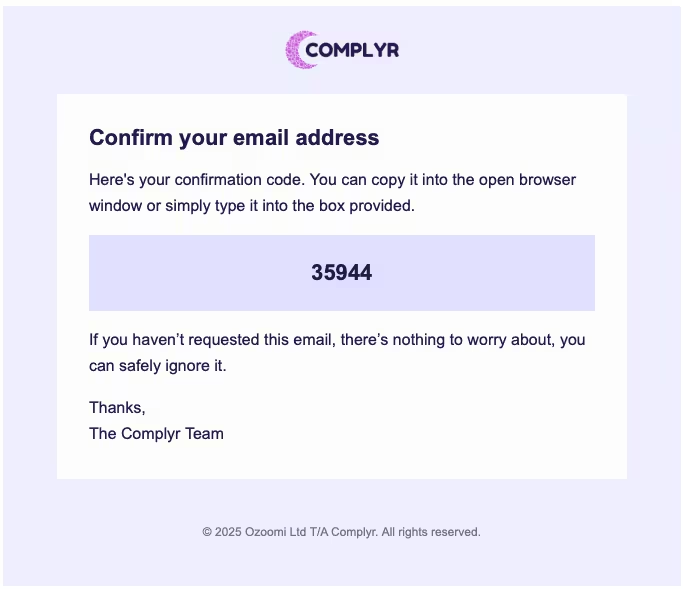
Once the party has signed into the portal using the Share Code, it triggers an email, sent to the email address on the related case party containing a unique 5-digit confirmation code
-
This 5-digit code is effectively a one-time password and expires after 15 minutes from the time it was sent. If the confirmation code expires, the party will need to re-enter their Share Code to restart the process and get a new one
-
The Invited party uses the same Share Code to sign into the portal for the time it remains valid
-
If a Share Code has expired, the Share Code field in the case Parties tab will revert to show Not Invited. Start the process again by clicking Get Share Code - see more in Invite party to case portal
Helping You Provide Guidance to Invited Parties
Although the portal invitation contains instructions for sign-in, some clients prefer sending an email ahead of getting a share code. Instructions that you may find helpful to send:
Portal sign-in is a two-step process: first, enter your access code, then confirm with a 5-digit code sent to your email.
Step 1 — enter your access code
-
Go to
/portal -
Enter the access code you were given (format like
A1B-2C3) -
Select Sign In
Step 2 — enter your confirmation code
-
Check your email for a 5-digit confirmation code
-
Enter the code
-
Select Confirm
-
You'll be taken to the portal home page
Passwordless authentication verifies user identity without passwords, providing a more secure, phishing-resistant, and convenient login experience. Each party has a two-factor (2FA) sign-in, providing another layer of data security.