
Control case portal access
You can control the default access to the Case Portal for individual case types, and whether users can override these settings when they invite parties to the case portal.
You can set how long parties should have access to the case portal for, and whether an invite email should be sent to the party from the Complyr app.
Configuring case portal access
-
Select a case type to configure and navigate to the Settings column tab
-
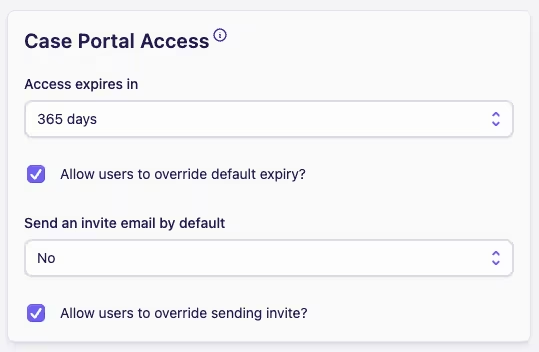
Locate the Case Portal Access card
Access expiry
-
Access expires in allows you to control the length of time a party has access to the case portal
-
The options are for 7, 30, 90, 180 or 365 days, or you can choose No Expiry to allow parties to access the case portal indefinitely
-
Allow users to override default expiry? allows you to control whether users can override the default expiry set above for each invited party
Invite emails
-
Send an invite email by default? allows you to control whether an invite email is automatically sent to a party when a party is invited to the case portal
-
Allow users to override invite email? allows you to control whether users can override the sending of an invite email for each invited party
... you will need to send the Share Code to the invited party yourself so that they can access the Case Portal. The Share Code is included in the invite email.
For more information see the case portal topic.