
Users, subscriptions & billing
This section requires an Account Admin permission.
Here, you can keep track of payments made, and any payments due. For full terms of your account, please refer to the signed Order Form and Terms and Conditions of Service. If there is any doubt in the billing information, the Order Form and Terms and Conditions of Service will take precedence.
This is where you can view and manage your seat subscription plan.
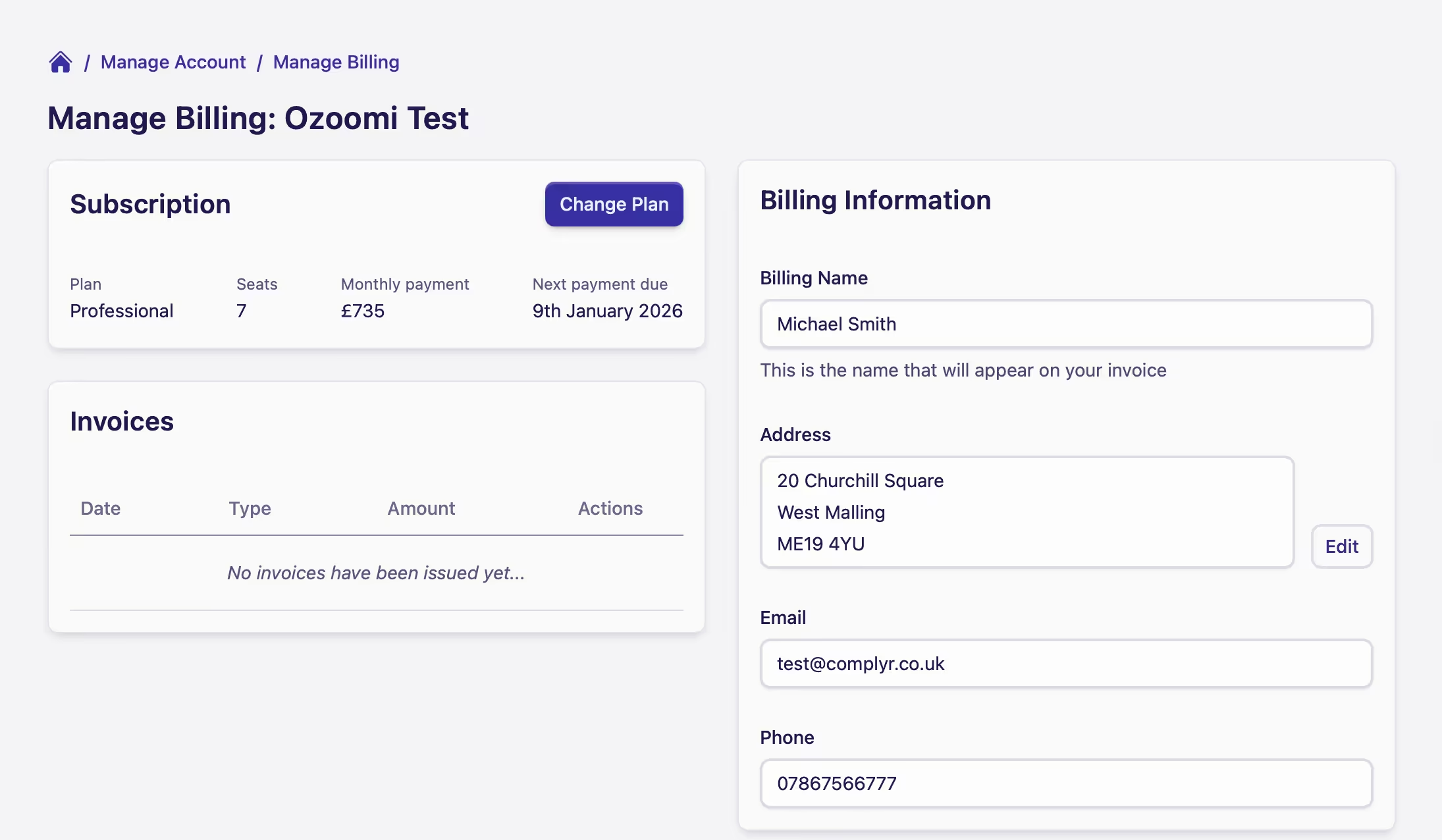
The Home screen provides you with the following information:
-
The plan your firm has subscribed to
-
The number of paid seats being used out of the total subscription allowance
-
The monthly fee for allocated seats (in use/being paid for)
-
The frequency of your chosen billing period will be shown under the Next payment due column
-
Invoice breakdowns. There will be two types of invoices shown:
-
Subscription invoices, issued in line with your billing frequency
-
Change in Order Form invoices, payable as per the terms of the Order Form
Example: a change in the Order Form could be for items such as additional seats and/or Professional Services -
-
The Billing Information shows contact details of the person responsible in your firm for making your subscription payments.
More detail can be found in Managing users on the account.