
Download & export
You can easily export report data and visualisations for sharing outside of Complyr.
To export your report data:
-
Click the download icon next to the Save Report button in the top right of the report editor
-
Choose either the Export chart or Download CSV option
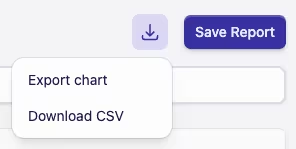
Export chart will download an image of the current visualisation as a PNG file (the file name will be the same as the report name).
Download CSV will download the report data as a CSV file (as with the chart, the file name will be the same as the report name).
No export chart option?
If your report is using a visualisation of either Number or Table, the Export chart option will be disabled, as these are not exportable.