
Configuring public case forms
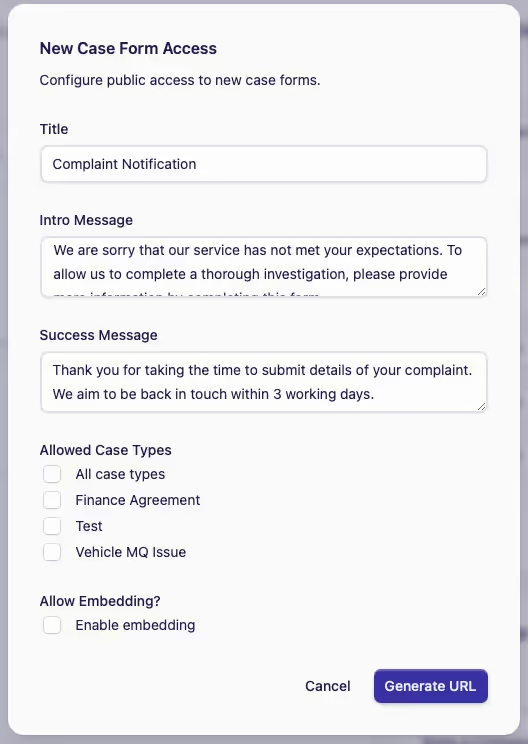
This is the New Case form that your Public users can use to submit a complaint and can be configured with your own messaging.
-
Click Add Access
-
Type in your messaging - one for the Intro Message and one for the Success Message (after submission)
-
Allowed Case Types
On a New Case Form, you can choose which Case Types can be accessed by Public users by ticking the appropriate boxes. If the boxes remain unticked, the Public will have no access to a New Case Form.
-
Allow Embedding
Please contact us to learn about how this works.
-
-
To save the configuration, click on Generate URL