
Data sets
This is where you can organise your collections of data for easy processing and analysis.
Data Sets are linked to the Autocomplete Field Type, which is linked to Reporting.
See also Adding Fields to Case Forms and Reporting/Filters and Breakdowns
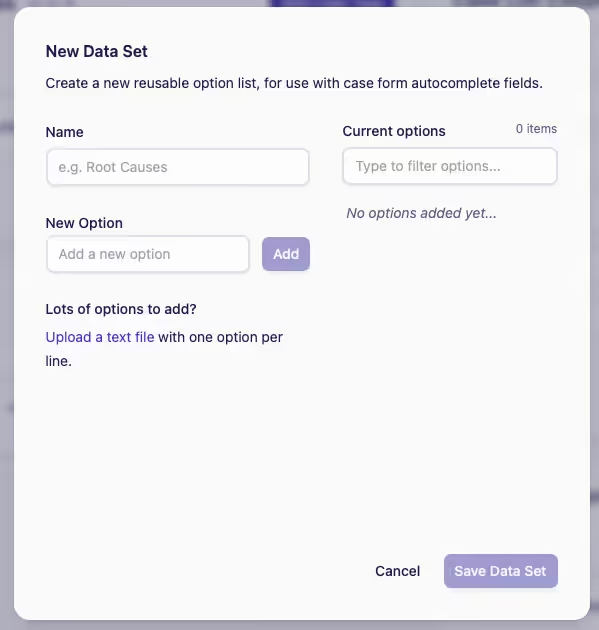
You can create your Data Set either manually or by uploading a text file.
-
Click Add Data Set
-
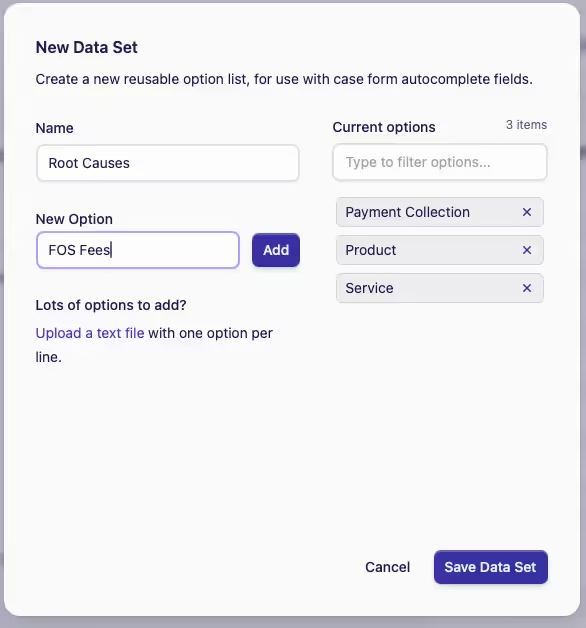
Choose a name for your Data Set, then either,
-
(i) Manually type in New Options
(ii) Click Add
(iii) then click Save Data Set, or,
-
(i) Import a large data set list (e.g., Introducers)
(ii) Upload a text file to the New Options field
(iii) Click Add
(iv) then click Save Data Set
TipIf you have been working from a spreadsheet, or have large quantities of data, the easiest way to import into the system is by using the Upload a text file option.
For a successful upload, please ensure that there is only one data option per line.
-
To quickly filter the options, use the search box under the Current options heading and type in at least 3 characters to filter out what you need