
Add, update or delete a party
In a case, parties are managed on the Parties tab. To add or edit a party you need to:
-
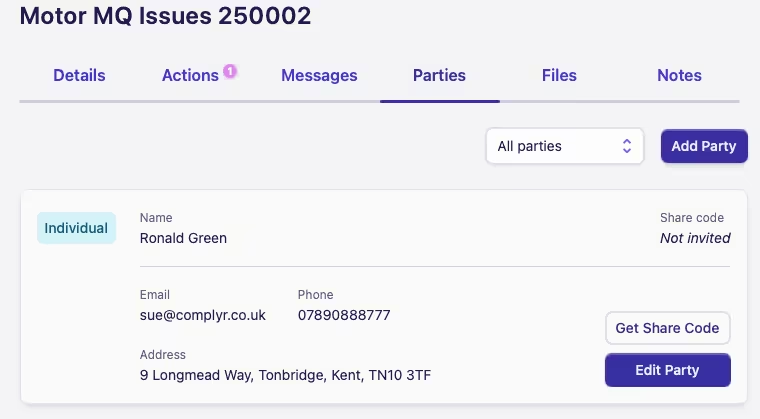
Any party added through a new case form will automatically appear under the Parties tab in a case
-
Details of the parties can be edited by clicking on Edit Party
-
If the user chooses to add further parties, they can do this by clicking on Add Party
Deleting a party
To delete a party from a case you need to:
-
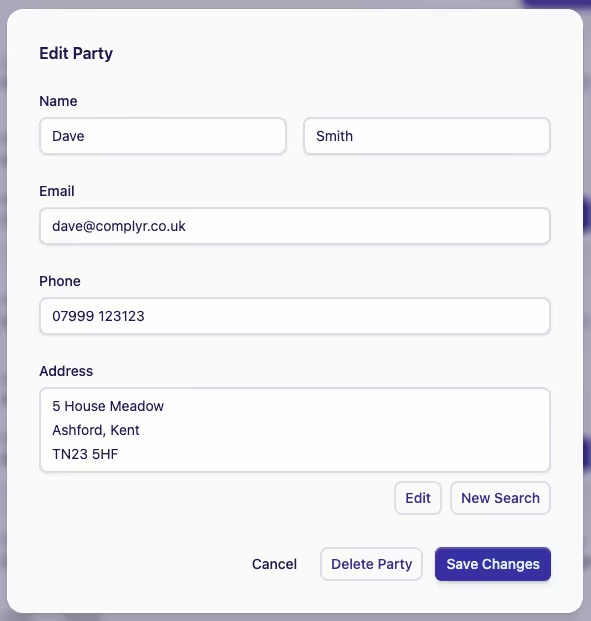
Click Edit Party on the party you wish to delete
-
Click the Delete Party button at the bottom left of the Edit Party dialog
Can't see the delete button?
Only parties that are not added through the case forms (seen on the Details tab) can be deleted, i.e. any party added manually through the Parties tab.