
Downloading files
Files can be downloaded from a case either individually or in batches. When files are downloaded they will be saved to your device's default download folder.
Download a file
There are two ways to download a single file:
-
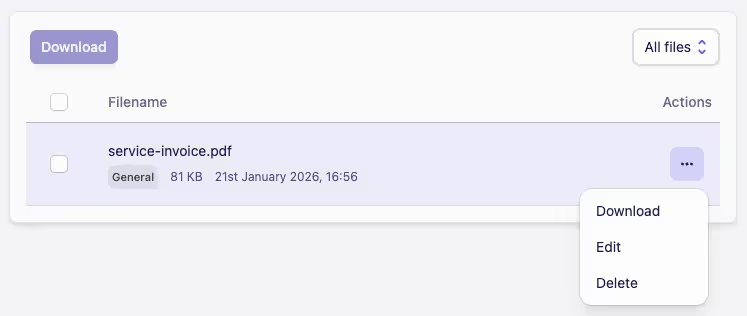
Click the Actions menu ··· then click Download
-
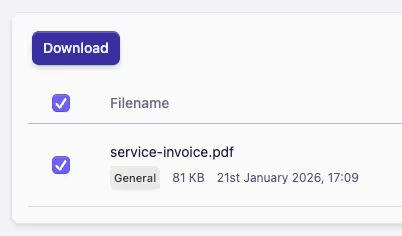
Select the file you want to download by ticking the checkbox next to it, then click the Download button
Bulk download
You're able to bulk download as many files as you need to:
-
To download selected files, tick the checkbox next to each file you want to download
-
To download all files, you can tick the checkbox in the header which will select all files visible in the file list
-
Once all the files you want to download are selected, click the Download button
When viewing the file list you can select the file type you want to browse or download by clicking on the dropdown box located in the top right of the file list card.